Paint and Seek
Ikitai Studios
Commonly listed as the fast-growing Ikitai Studios version.
Active-code claims exist, but reward values need in-game retesting.
Independent Roblox guide lab
Paint & Seek Lab helps Roblox players choose the right Paint and Seek game before using codes, gameplay guides, update notes, or camouflage tools.
Play on Roblox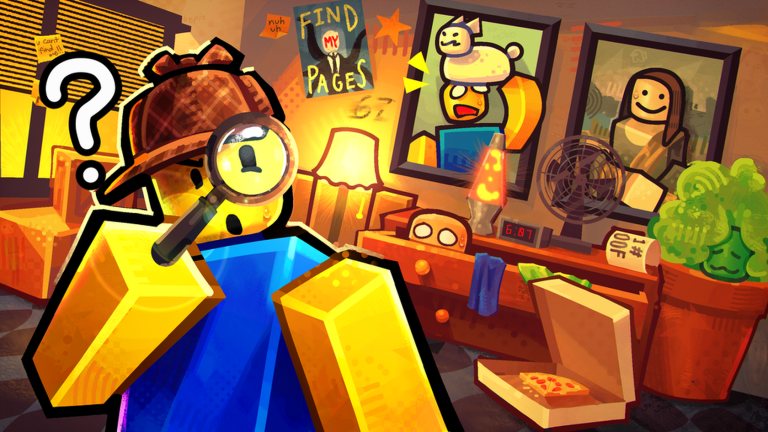
Roblox-provided thumbnail for the Ikitai Studios Paint and Seek experience. It is used as source media, not as site-owned gameplay evidence.
Choose your game
Ikitai Studios
Commonly listed as the fast-growing Ikitai Studios version.
Active-code claims exist, but reward values need in-game retesting.
Blend In Or Die
A separate Roblox experience with its own owner, description, and code set.
Game description and media reports mention different codes than Ikitai.
Latest status
Start here
Check whether your Roblox page belongs to Ikitai Studios or the Blend team before copying a code.
2 Open that game's ledgerUse the matching code page so casing, rewards, and status notes do not cross between games.
3 Learn the loopRead gameplay basics for hider, seeker, color matching, and what still needs hands-on proof.
4 Track changesReturn when descriptions, codes, maps, or update notes change and the site retests them.
Where players go first
Compare the same-name Roblox experiences before using codes, links, or gameplay advice.
Start here IkitaiIdentity notes, code links, gameplay status, and verification needs for the Ikitai Studios version.
Game hub BlendSeparate hub for the Blend version, including its code ledger and source notes.
Game hub CodesSource-labeled code tables with status, casing, reward conflicts, and retest notes.
Ledger ToolsA practical tool roadmap for matching screenshot colors without guessing map spots.
Tool TrustHow Paint & Seek Lab labels official, media, community, testing, and conflicting claims.
PolicyOverview
Paint and Seek Roblox is not one clean target. Players can land on more than one similarly named Roblox experience, so Paint & Seek Lab starts with creator identity, then routes you to the right code ledger, gameplay notes, official-link checks, and future tools. Map pages, exact rewards, and best hiding spots stay out of the index until they can be tested.
Roblox checklist
Paint and Seek Roblox pages can look similar at a glance, so the first check is always the creator line. Paint and Seek Roblox codes should match that creator, Paint and Seek Roblox guide notes should match that game, and Paint and Seek Roblox map advice should wait for fresh screenshots.
If a source does not name the creator, treat the Paint and Seek Roblox claim as incomplete. If a reward value conflicts across sources, treat the Paint and Seek Roblox code as unconfirmed. If a map tip has no test date, keep that Paint and Seek Roblox hiding spot out of your plan until it is retested.
Paint and Seek Roblox players should use this homepage as a routing board: Paint and Seek Roblox identity first, Paint and Seek Roblox codes second, Paint and Seek Roblox gameplay notes third, and Paint and Seek Roblox map claims only after evidence exists.
Core systems
Every code or guide card names the exact Roblox creator so same-name experiences do not get mixed.
CodesCodes keep original casing, source notes, last-tested fields, and conflict labels for reward reports.
GameplayPaint and Seek gameplay guidance focuses on blending, spotting silhouettes, and scan routes only when evidence supports them.
TrustOfficial pages, Roblox links, and community links stay separated from media reports and player claims.
Original toolThe first tool uses browser color sampling from user-owned or site-owned screenshots, not copied thumbnails.
Do not guessMap routes, best hiding spots, and seeker paths wait for original screenshots, videos, and version notes.
Task modules
Start by matching the creator name on Roblox. Paint and Seek Roblox searches can point to different experiences with different codes.
Use this path for the Ikitai Studios Paint and Seek hub and codes.
Use this path for Paint And SEEK! and its separate code list.
Track as a lower-priority same-name candidate until stronger source evidence supports pages.
Code entries keep casing, game identity, status, source, and retest notes instead of merging rewards from different pages.
UPDATE2 Reported for Ikitai Studios; reward and status need in-game retest. Unconfirmed omg10kccu Reported reward values conflict across sources; keep original casing. Conflict 5MILVISITS Reported around Blend-version descriptions and media coverage. Separate A cautious how-to-play route for players who need the loop, controls, and role basics before map-specific guides exist.
Join the exact Roblox experience your friends or code source named.
Confirm whether you are playing as a hider or seeker and watch the round timer.
Treat color, outline, movement, and lighting as the main information signals.
Strategy pages will grow from tested evidence: hiders need believable color and silhouette; seekers need scan routes and anomaly checks.
Blend with surrounding color, avoid exposed edges, and do not rely on one famous hiding spot.
Look for color breaks, object silhouettes, repeated texture errors, and late movement.
Best hiding spots remain held until original map screenshots are available.
Official and high-trust links are kept separate from media and community discoveries so players know what is verified.
Use Roblox experience pages to confirm creator, description, and entry point.
Discord, group, and social links are only added after verifying they belong to the creator.
Media can flag new codes, but it does not prove redemption success.
The tool plan focuses on canvas color sampling from legitimate screenshots so users can compare wall, floor, and prop colors.
Upload or select an original screenshot you are allowed to use.
Click the surface color you want to match and record RGB, HSV, and brightness.
Save the result with map, game version, lighting note, and test date.
Updates should explain what changed for codes, maps, hiders, seekers, and old advice instead of copying patch text.
New and expired codes get dated status changes.
Map pages publish only after fresh screenshots and version notes.
Conflicting rewards and mistaken creator links get logged visibly.
The site expands from evidence, not from keyword variants. Map pages, spot drills, and live stats need tested inputs.
Game chooser, code ledgers, comparison, gameplay basics, FAQ, official links, color tool method.
Per-map routes, exact reward screenshots, live CCU panels, and best hiding spots.
Copied screenshots, rewritten code casing, fake countdowns, and unrelated template text.
FAQ
Paint and Seek Roblox is a search term that currently points to multiple similarly named Roblox hide-and-seek experiences, including Ikitai Studios and a separate Blend version.
Open the Roblox experience page and check the creator name first. Codes and guide notes on Paint & Seek Lab are separated by creator so you do not copy the wrong code.
No. Treat Paint and Seek codes as game-specific until proven otherwise. Ikitai Studios code claims and Blend-version code claims belong in separate ledgers.
The code may be for the other same-name game, typed with the wrong casing, expired, locked behind a group/like requirement, or reported by media before in-game retesting.
Only after original hands-on screenshots or videos support the map. Untested best hiding spots stay out of published guide pages.
No. Paint & Seek Lab is an independent fan guide and verification site, not an official Roblox, Ikitai Studios, or Blend property.